City settings, map area and branding
Your city's name, phone, time zone and emergency notice, where your city is on the map, your color and logo, and when reporters' details are removed.
Settings holds your city's details, map area, branding, export and billing. Only Administrators can open it. It has a tab for each part: City details, Map area, Branding, Export and Billing.
City details
Press Save settings when you are done.
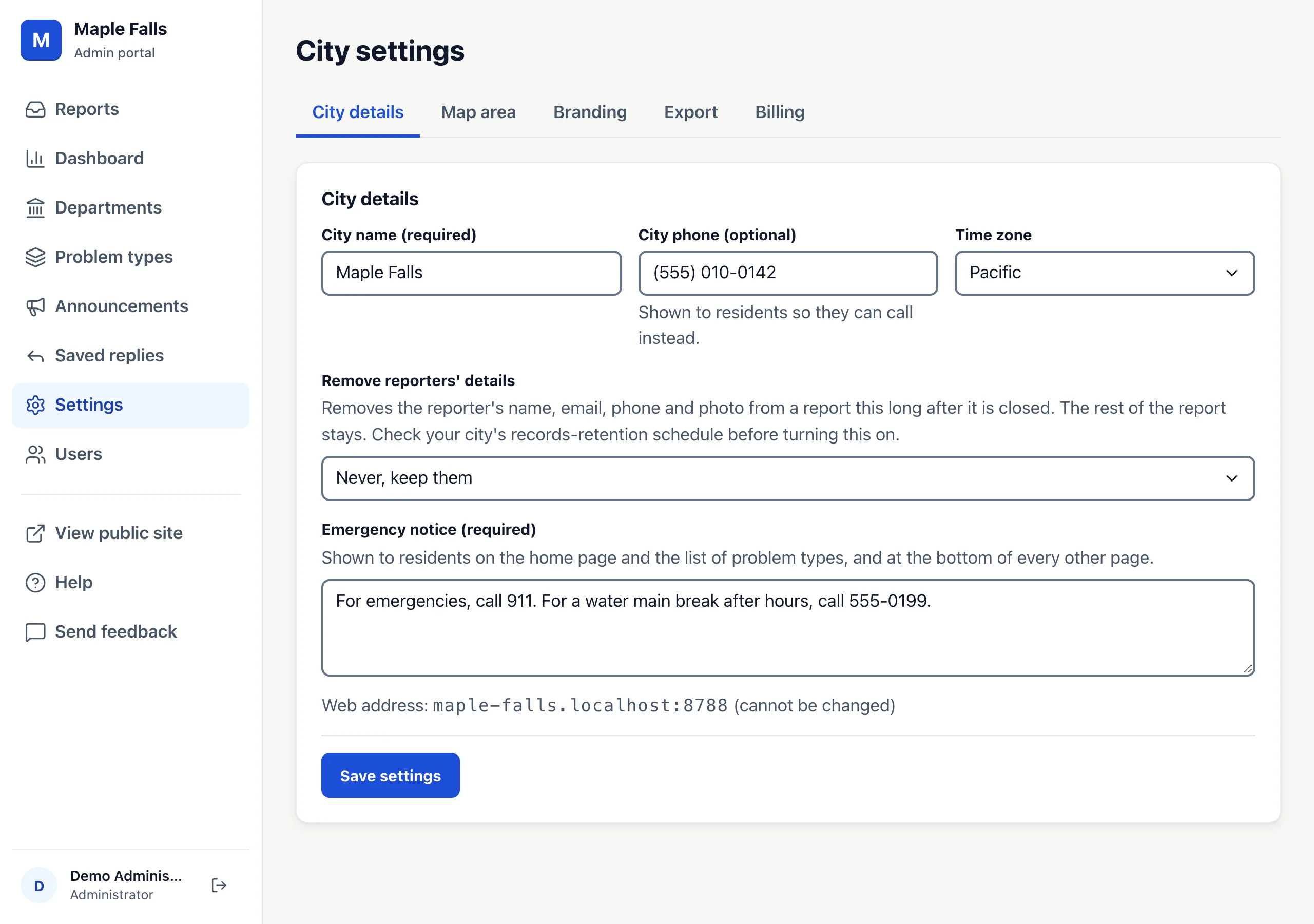
- City name and City phone: shown to residents, so they can call instead.
- Time zone: Eastern, Central, Mountain, Arizona (no daylight saving), Pacific, Alaska or Hawaii. Dates on every page, and the dashboard's days, follow it.
- Emergency notice: shown on the home page and the list of problem types, and at the bottom of every other page. It starts as "For emergencies, call 911."
- Remove reporters' details: never, or 30, 90, 180 or 365 days after a report is closed. It removes the reporter's name, email, phone and photo; the rest of the report stays. Check your records-retention schedule before you turn it on. The privacy notice on your site says how long you keep them.
Your site's web address is shown on this tab. It can't be changed.
Map area
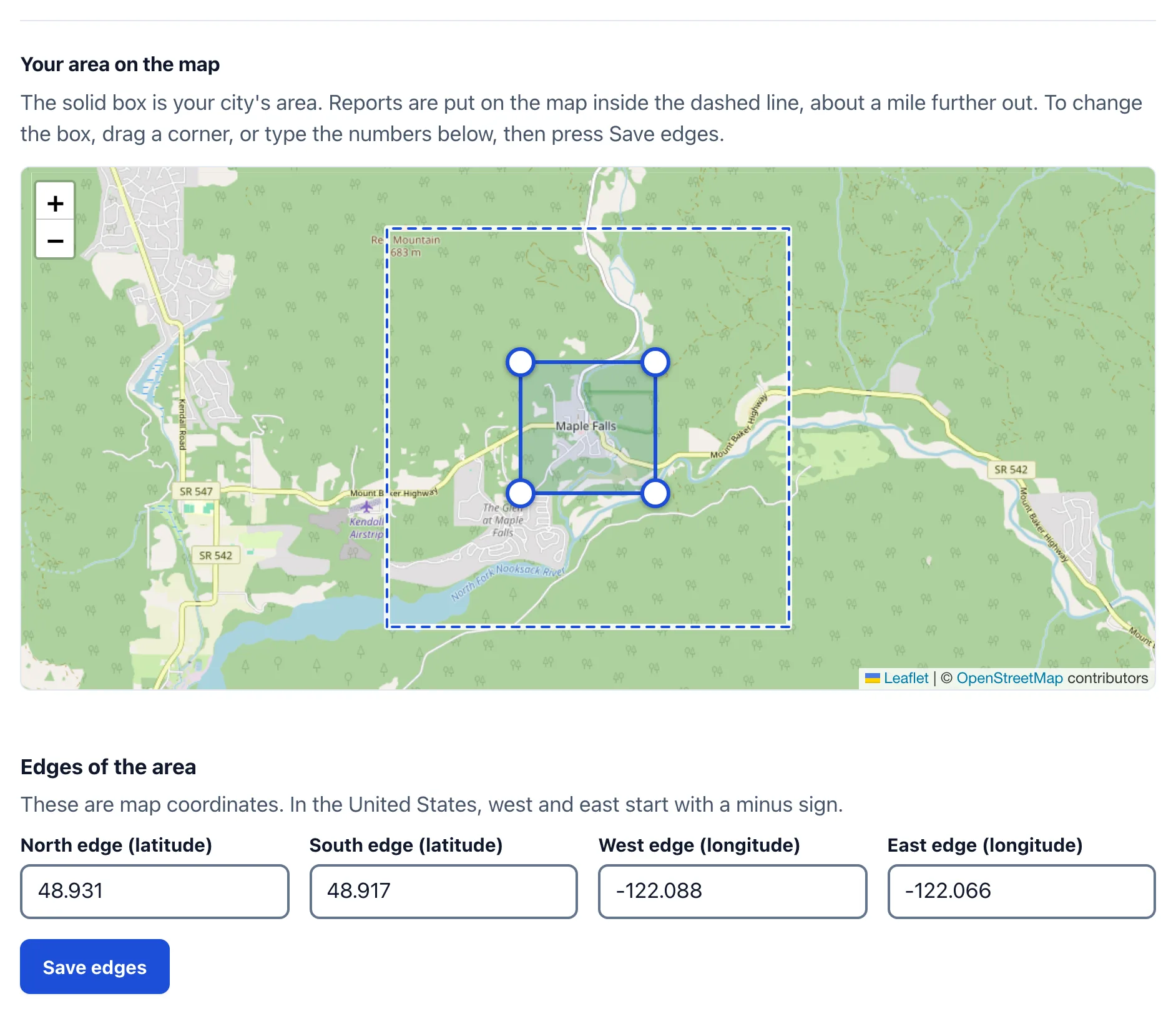
On the Map area tab, type your city and state, like "North Muskegon, MI", and press Save area. The page then names the place it found and shows it on a map; check that it is yours. If it is the wrong place, type the city again with its state and press Change area. From then on, a report with a street address and house number is put on the map, even when it was typed or taken by phone. A place more than about a mile outside your city is left off the map, and the report is still saved.
The map below it shows the area: the solid box is the area, and the dashed line is the mile around it. If the box is too big or too small, drag one of its corners, or type its edges, and press Save edges. Make it smaller if it covers a neighboring town, so an address is not placed on that town's street of the same name. Remove area goes back to putting only reports sent with a current location on the map.
Branding
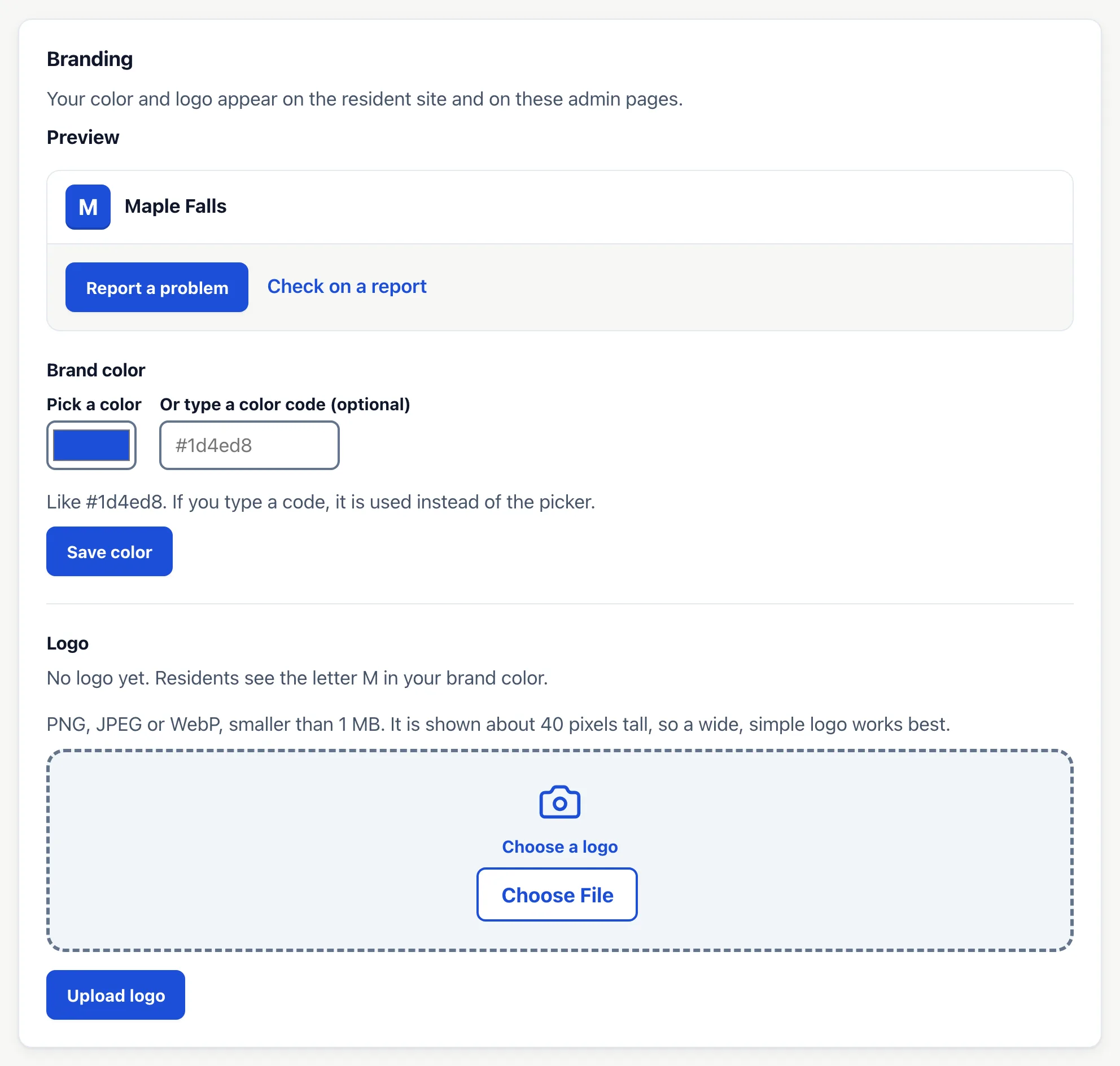
- Brand color: pick a color or type a code like #1d4ed8, then press Save color. A light color is darkened a little so text stays easy to read.
- Logo: a PNG, JPEG or WebP smaller than 1 MB. It shows about 40 pixels tall, so a wide, simple logo works best. Without one, residents see your city's first letter.
Your color and logo appear on the residents' site and on these admin pages.