Reports by phone or in person
Enter a report for a resident who calls or comes in, and give them a tracking code.
When a resident calls or comes to the counter, press Enter a report at the top of the Reports page. The report goes to the same inbox and department as one sent from the website, and to the department's default assignee if it has one. The resident gets a tracking code.
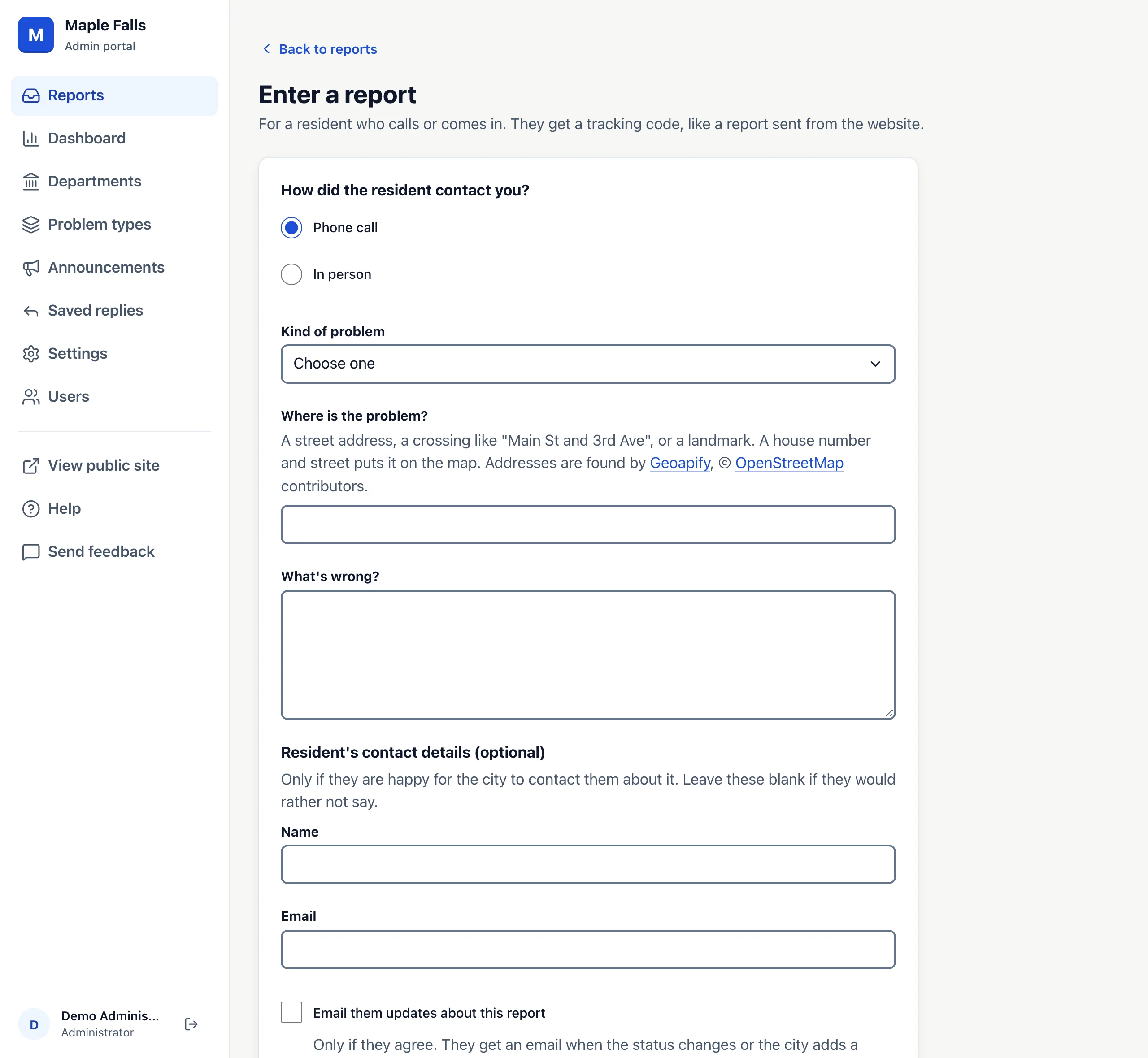
- Choose Phone call or In person.
- Choose the Kind of problem. Every type residents can choose is listed, including other departments' types.
- Type Where is the problem? and What's wrong?
- Add their name, email and phone if they want to give them. Check Email them updates about this report only if they agree.
- Press Save report.
The next page shows the tracking code. Read it to the resident, or press Print confirmation to hand them a slip. They can check on it under Check on a report on your residents' site, or by calling the city.
Reports entered this way have no photo. Once your city's Map area is set, one with a street address and house number is put on the map; a landmark or a crossing is not, so it doesn't show on the map or in nearby reports.